Business Pro plan
For managers who build and sign off rosters.
Business Pro suits a team, a site or a group of sites that want every roster checked the same way.
What you can do
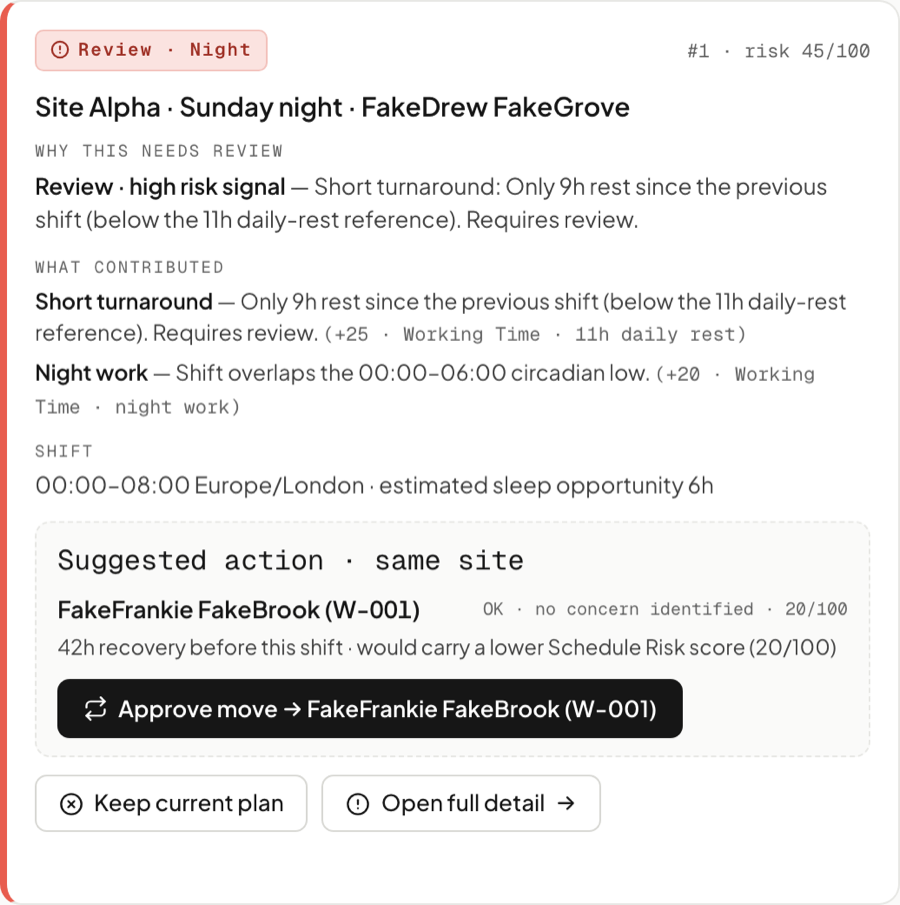
- See which shifts need attention. The calendar and review list put the shifts most worth a look first.
- Understand why a shift has been flagged. Each one shows the check behind it and the shifts it relates to.
- Review time between shifts. Short rest, nights, long shifts, long runs of days and weekly hours.
- Keep a record of your decisions. Move a shift, keep the plan or note a change made elsewhere, with your reason.
Included
Staffing against trading.
Add your sales data, and transactions or footfall if you have them. RosterWise shows busy and quiet periods by site, day and two-hour period, next to who was working.
Try adding or removing a shift, or moving someone between sites, and the roster checks run again. Costs come from the hourly rates you set. They show what hours cost, not a saving you’ve made.
Access and privacy
Accounts set up for your team.
- We create accounts for the people your organisation names. Signing in needs a code from an authenticator app.
- People are identified by your own staff numbers. RosterWise doesn’t ask for names.
- Rosters containing email addresses, phone numbers, dates of birth or National Insurance numbers in the columns RosterWise uses are rejected.
- Each organisation’s data is kept separate.
Tell us about your sites.
Email hello@rosterwise.co.uk or use Contact Sales. Running many sites under one agreement? See Enterprise.